


接入谷歌搜索
将 FastGPT 接入谷歌搜索
工具调用模式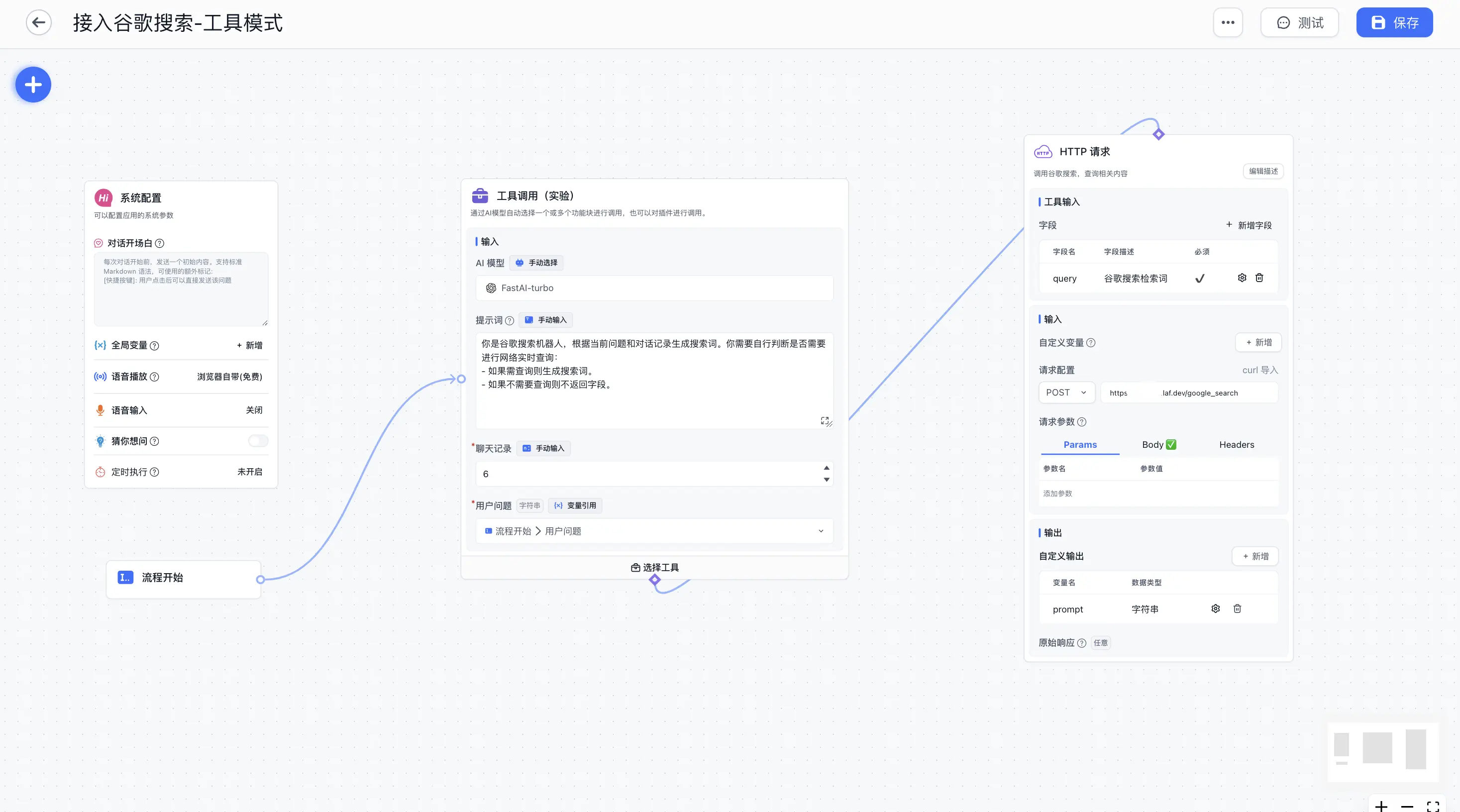 | 工具调用模式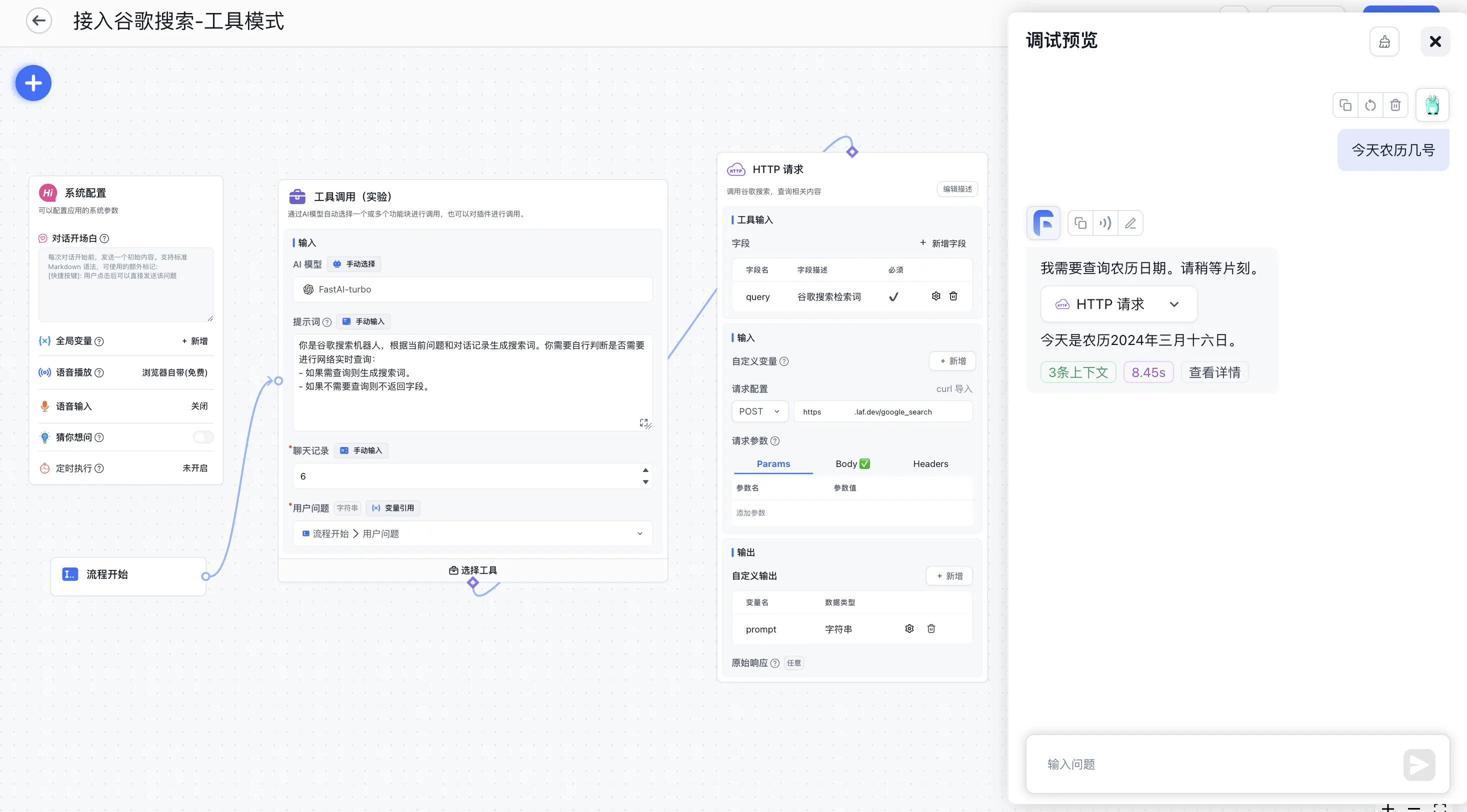 |
非工具调用模式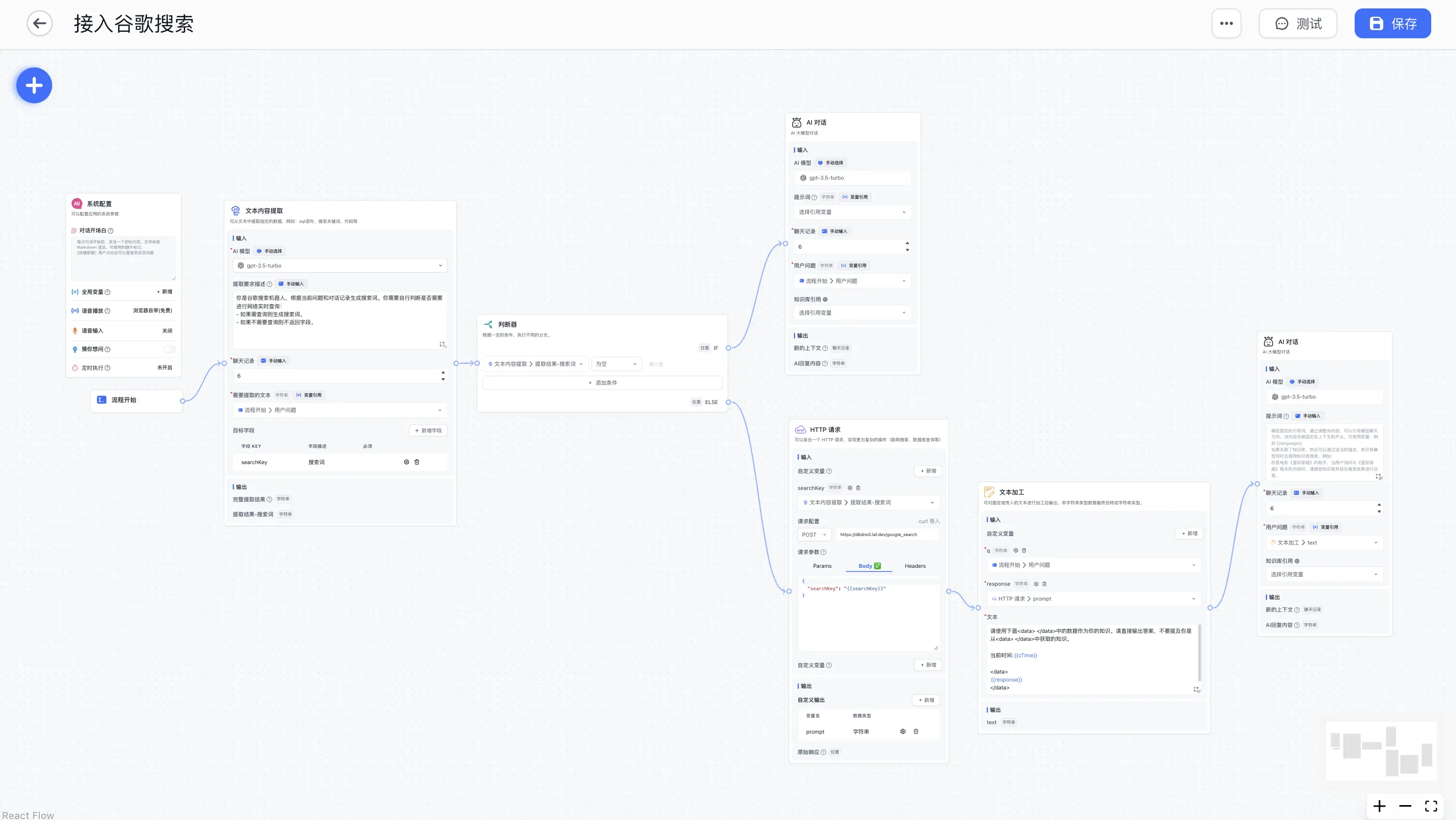 | 非工具调用模式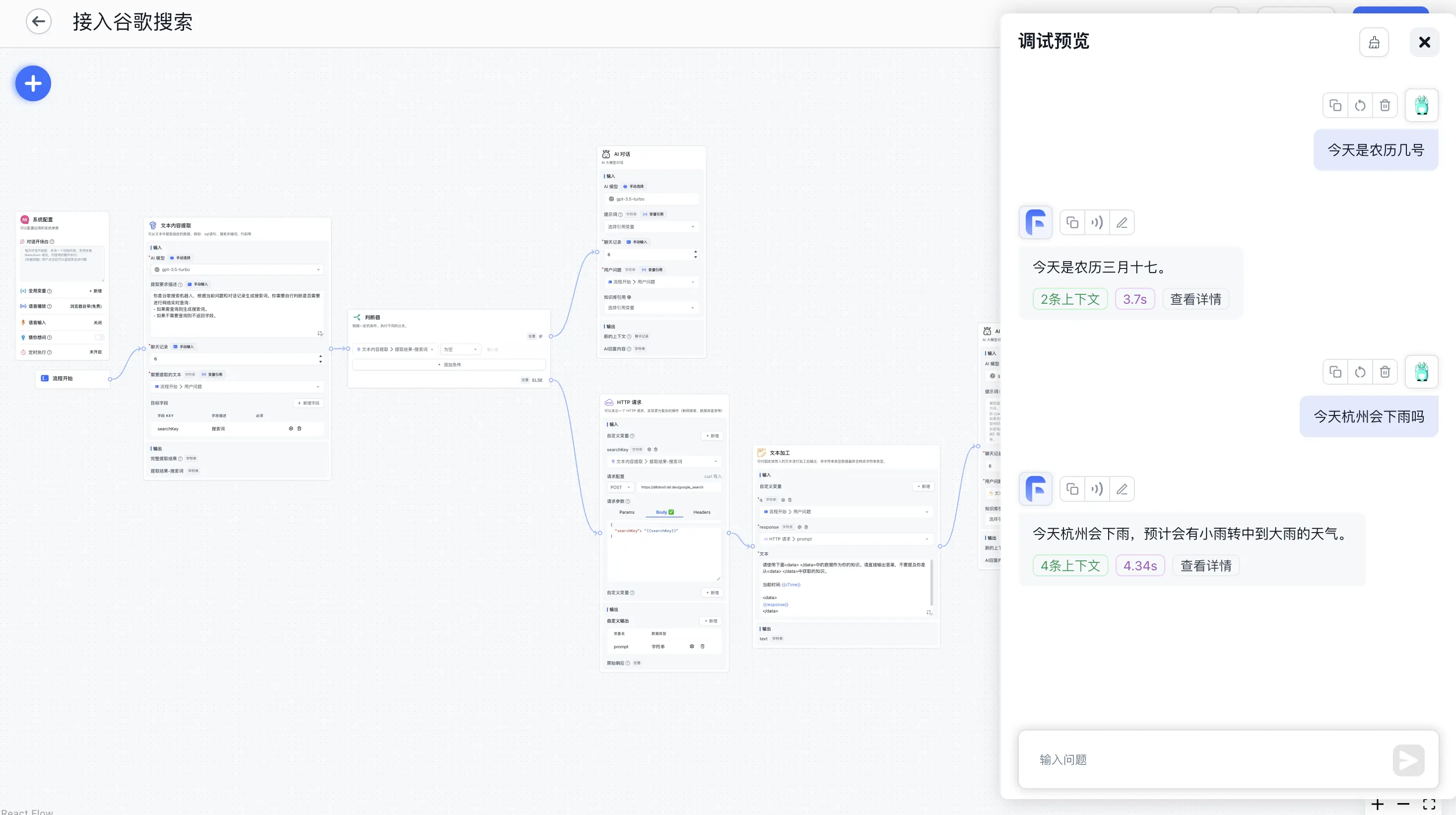 |
如上图,利用「HTTP请求」模块,你可以外接一个搜索引擎作为 AI 回复的参考资料。这里以调用 Google Search API 为例。注意:本文主要是为了介绍 「HTTP请求」模块,具体的搜索效果需要依赖提示词和搜索引擎,尤其是【搜索引擎】,简单的搜索引擎无法获取更详细的内容,这部分可能需要更多的调试。
注册 Google Search API
参考这篇文章,每天可以免费使用 100 次。
写一个 Google Search 接口
这里用 Laf 快速实现一个接口,即写即发布,无需部署。务必打开 POST 请求方式。
Laf谷歌搜索Demo
import cloud from '@lafjs/cloud'
const googleSearchKey = "xxx"
const googleCxId = "3740cxxx"
const baseurl = "https://www.googleapis.com/customsearch/v1"
type RequestType = {
searchKey: string
}
export default async function (ctx: FunctionContext) {
const { searchKey } = ctx.body as RequestType
console.log(ctx.body)
if (!searchKey) {
return {
prompt: ""
}
}
try {
const { data } = await cloud.fetch.get(baseurl, {
params: {
q: searchKey,
cx: googleCxId,
key: googleSearchKey,
c2coff: 1,
start: 1,
end: 20,
dateRestrict: 'm[1]',
}
})
const result = data.items.map((item) => item.snippet).join('\n');
return { prompt: result }
} catch (err) {
console.log(err)
ctx.response.status(500)
return {
message: "异常"
}
}
}
模块编排 - 工具调用模式
利用工具模块,则无需多余的操作,直接由模型决定是否调用谷歌搜索,并生成检索词即可。
复制下面配置,进入「高级编排」,在右上角的 “...” 中选择「导入配置」,导入后修改「HTTP 请求」模块 - 请求地址 的值。
编排配置:
{
"nodes": [
{
"nodeId": "userGuide",
"name": "系统配置",
"intro": "可以配置应用的系统参数",
"avatar": "/imgs/workflow/userGuide.png",
"flowNodeType": "userGuide",
"position": {
"x": 262.2732338817093,
"y": -476.00241136598146
},
"inputs": [
{
"key": "welcomeText",
"renderTypeList": [
"hidden"
],
"valueType": "string",
"label": "core.app.Welcome Text",
"value": ""
},
{
"key": "variables",
"renderTypeList": [
"hidden"
],
"valueType": "any",
"label": "core.app.Chat Variable",
"value": []
},
{
"key": "questionGuide",
"valueType": "boolean",
"renderTypeList": [
"hidden"
],
"label": "core.app.Question Guide",
"value": false
},
{
"key": "tts",
"renderTypeList": [
"hidden"
],
"valueType": "any",
"label": "",
"value": {
"type": "web"
}
},
{
"key": "whisper",
"renderTypeList": [
"hidden"
],
"valueType": "any",
"label": "",
"value": {
"open": false,
"autoSend": false,
"autoTTSResponse": false
}
},
{
"key": "scheduleTrigger",
"renderTypeList": [
"hidden"
],
"valueType": "any",
"label": "",
"value": null
}
],
"outputs": []
},
{
"nodeId": "448745",
"name": "流程开始",
"intro": "",
"avatar": "/imgs/workflow/userChatInput.svg",
"flowNodeType": "workflowStart",
"position": {
"x": 295.8944548701009,
"y": 110.81336038514848
},
"inputs": [
{
"key": "userChatInput",
"renderTypeList": [
"reference",
"textarea"
],
"valueType": "string",
"label": "用户问题",
"required": true,
"toolDescription": "用户问题"
}
],
"outputs": [
{
"id": "userChatInput",
"key": "userChatInput",
"label": "core.module.input.label.user question",
"valueType": "string",
"type": "static"
}
]
},
{
"nodeId": "NOgbnBzUwDgT",
"name": "工具调用",
"intro": "通过AI模型自动选择一个或多个功能块进行调用,也可以对插件进行调用。",
"avatar": "/imgs/workflow/tool.svg",
"flowNodeType": "tools",
"showStatus": true,
"position": {
"x": 1028.8358722416106,
"y": -500.8755882990822
},
"inputs": [
{
"key": "model",
"renderTypeList": [
"settingLLMModel",
"reference"
],
"label": "core.module.input.label.aiModel",
"valueType": "string",
"llmModelType": "all",
"value": "FastAI-plus"
},
{
"key": "temperature",
"renderTypeList": [
"hidden"
],
"label": "",
"value": 0,
"valueType": "number",
"min": 0,
"max": 10,
"step": 1
},
{
"key": "maxToken",
"renderTypeList": [
"hidden"
],
"label": "",
"value": 2000,
"valueType": "number",
"min": 100,
"max": 4000,
"step": 50
},
{
"key": "systemPrompt",
"renderTypeList": [
"textarea",
"reference"
],
"max": 3000,
"valueType": "string",
"label": "core.ai.Prompt",
"description": "core.app.tip.chatNodeSystemPromptTip",
"placeholder": "core.app.tip.chatNodeSystemPromptTip",
"value": "你是谷歌搜索机器人,根据当前问题和对话记录生成搜索词。你需要自行判断是否需要进行网络实时查询:\n- 如果需查询则生成搜索词。\n- 如果不需要查询则不返回字段。"
},
{
"key": "history",
"renderTypeList": [
"numberInput",
"reference"
],
"valueType": "chatHistory",
"label": "core.module.input.label.chat history",
"required": true,
"min": 0,
"max": 30,
"value": 6
},
{
"key": "userChatInput",
"renderTypeList": [
"reference",
"textarea"
],
"valueType": "string",
"label": "用户问题",
"required": true,
"value": [
"448745",
"userChatInput"
]
}
],
"outputs": []
},
{
"nodeId": "GMELVPxHfpg5",
"name": "HTTP 请求",
"intro": "调用谷歌搜索,查询相关内容",
"avatar": "/imgs/workflow/http.png",
"flowNodeType": "httpRequest468",
"showStatus": true,
"position": {
"x": 1013.2159795348916,
"y": 210.8685573380423
},
"inputs": [
{
"key": "system_addInputParam",
"renderTypeList": [
"addInputParam"
],
"valueType": "dynamic",
"label": "",
"required": false,
"description": "core.module.input.description.HTTP Dynamic Input",
"editField": {
"key": true,
"valueType": true
}
},
{
"valueType": "string",
"renderTypeList": [
"reference"
],
"key": "query",
"label": "query",
"toolDescription": "谷歌搜索检索词",
"required": true,
"canEdit": true,
"editField": {
"key": true,
"description": true
}
},
{
"key": "system_httpMethod",
"renderTypeList": [
"custom"
],
"valueType": "string",
"label": "",
"value": "POST",
"required": true
},
{
"key": "system_httpReqUrl",
"renderTypeList": [
"hidden"
],
"valueType": "string",
"label": "",
"description": "core.module.input.description.Http Request Url",
"placeholder": "https://api.ai.com/getInventory",
"required": false,
"value": "https://xxxxxx.laf.dev/google_search"
},
{
"key": "system_httpHeader",
"renderTypeList": [
"custom"
],
"valueType": "any",
"value": [],
"label": "",
"description": "core.module.input.description.Http Request Header",
"placeholder": "core.module.input.description.Http Request Header",
"required": false
},
{
"key": "system_httpParams",
"renderTypeList": [
"hidden"
],
"valueType": "any",
"value": [],
"label": "",
"required": false
},
{
"key": "system_httpJsonBody",
"renderTypeList": [
"hidden"
],
"valueType": "any",
"value": "{\n \"searchKey\": \"{{query}}\"\n}",
"label": "",
"required": false
}
],
"outputs": [
{
"id": "system_addOutputParam",
"key": "system_addOutputParam",
"type": "dynamic",
"valueType": "dynamic",
"label": "",
"editField": {
"key": true,
"valueType": true
}
},
{
"id": "httpRawResponse",
"key": "httpRawResponse",
"label": "原始响应",
"description": "HTTP请求的原始响应。只能接受字符串或JSON类型响应数据。",
"valueType": "any",
"type": "static"
},
{
"id": "M5YmxaYe8em1",
"type": "dynamic",
"key": "prompt",
"valueType": "string",
"label": "prompt"
}
]
}
],
"edges": [
{
"source": "448745",
"target": "NOgbnBzUwDgT",
"sourceHandle": "448745-source-right",
"targetHandle": "NOgbnBzUwDgT-target-left"
},
{
"source": "NOgbnBzUwDgT",
"target": "GMELVPxHfpg5",
"sourceHandle": "selectedTools",
"targetHandle": "selectedTools"
}
]
}
流程说明
利用【文本内容提取】模块,将用户的问题提取成搜索关键词。
将搜索关键词传入【HTTP请求】模块,执行谷歌搜索。
利用【文本加工】模块组合搜索结果和问题,生成一个适合模型回答的问题。
将新的问题发给【AI对话】模块,回答搜索结果。
